CRM basics: what a CRM actually does (and why "just use a spreadsheet" stops working)
If you're weighing up the best CRM for small business against sticking with your spreadsheet a bit longer, here's the difference in one line.
A spreadsheet stores information. A CRM acts on it.
A well-designed CRM with automations follows up when a lead goes quiet, moves a deal along when someone submits a form, and reminds you who hasn't heard from you in three weeks. A spreadsheet only ever shows you what you remembered to do. In the past. Like a lovely snapshot of a holiday. Great for jogging the memory, when you're looking at it. But that's about it.
Why spreadsheets feel fine until they don't
Spreadsheets are free, familiar and perfectly fine for your first handful of clients. The tool in and of itself isn't the problem. Spreadsheets are great. I'm a huge fan of a well-structured spreadsheet (can anyone say: marketing nerd?!). The problem is that the work a spreadsheet creates grows with your client list, and the work a CRM creates really doesn't.
Most small businesses sense this, which is why CRM use keeps climbing. According to SellersCommerce's CRM statistics roundup, 71% of small businesses now use a CRM, compared with 94% of tech companies. That leaves nearly three in ten small businesses managing moving relationships with a tool built for analysing usually static data.
What a CRM does that a spreadsheet can't
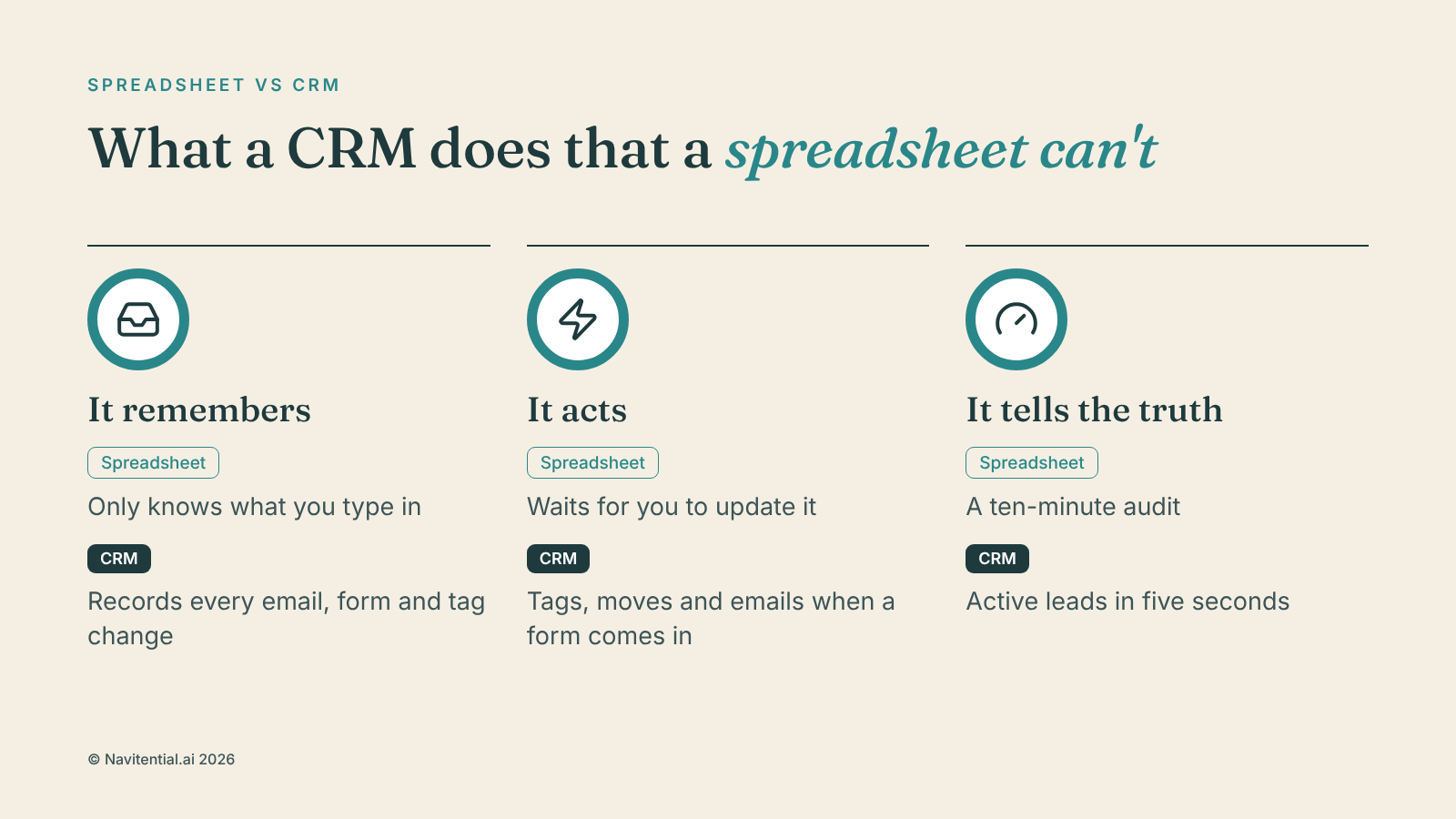
It remembers so you don't have to
A spreadsheet only knows what you type into it. A CRM records every interaction on its own (every email, form and tag change) and shows it to you when you need it, not just when you think to look.
It acts when something happens
This is the big one. When someone fills in a form, a CRM can tag them, move them to the right pipeline stage and send the right onboarding email without you touching a thing. A spreadsheet can't act. You have to act on it, by hand, every time.
It gives you an honest number
"How many active leads do I have right now?" takes five seconds in a CRM and a ten-minute audit in a spreadsheet. That's if your spreadsheet is perfectly up to date. Whose is?
The numbers behind the switch
Businesses that switch tend to see it pay off. The same SellersCommerce roundup reports 45% of businesses seeing higher sales revenue growth after adopting a CRM, and 47% reporting a major effect on customer satisfaction. Much of that comes from follow-ups that no longer fall through the cracks.
Signs you've outgrown the spreadsheet
You've asked yourself "did I already follow up with this person?" more than once this month
You and a VA (or you and future you) have edited the same row with different information
You don't know your current lead-to-client conversion rate
Your spreadsheet has more than one "don't touch this column, it's a formula" warning
You need the right-sized CRM, not the most complicated one
CRM shopping often goes wrong because people assume more features means more value. For a solo business or small team, the right CRM handles contacts, pipeline stages and basic automation cleanly, without needing a certification course to set up.
"Right-sized" is a different test from "most powerful". At any stage of business, it's the one that matters.
What it looks like once it's set up
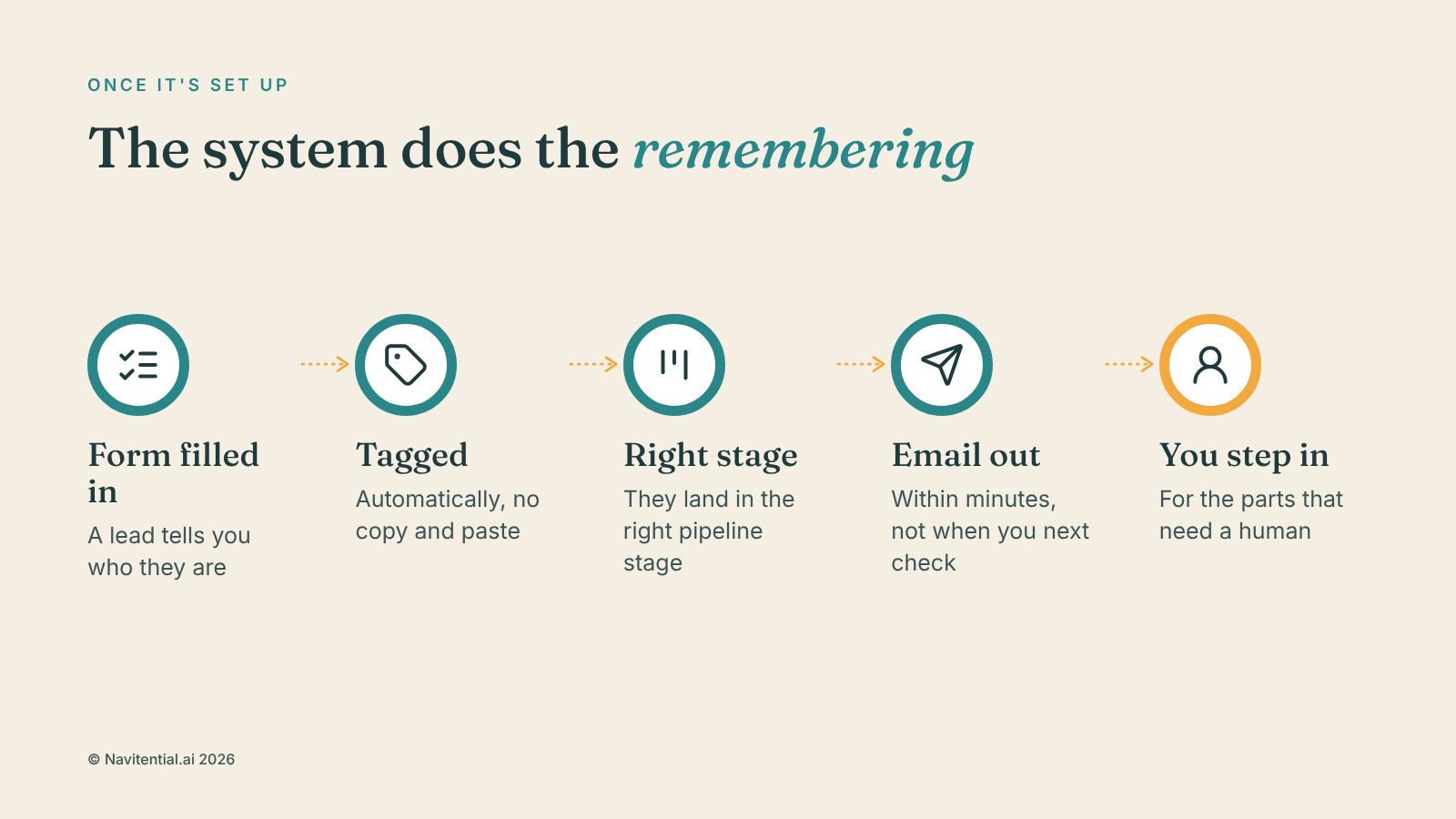
A lead fills in a form on your website (for example, to access a free download) and gets tagged automatically. They land in the right pipeline stage. A relevant email goes out within minutes, giving them the free download and giving them a link to book a call if they want to talk about their options further, not whenever you next check your inbox. If they book a call, they choose the date and time that works for them, directly in your calendar. Your calendar and CRM stay in sync, so there's no double-booking. They get reminders with the necessary meeting link to make sure they turn up and have all of the information they need to hand.
You don't have to remember any of it, and that's the point. The system does the remembering. You do the parts that need a human.
Want to try a CRM for free and feel the difference?
The core of the Navitential.ai platform is its CRM and pipeline. You can find out more and sign up for a 14-day free trial here.
Frequently asked questions
Is a CRM overkill if I only have a handful of clients?
Not necessarily. The earlier you set one up, the easier it is to leave the spreadsheet behind, and habits like tagging and pipeline stages are easier to build while your list is small.
How long does a CRM take to set up?
It depends on how complex you make it. A basic contacts-and-pipeline set-up can be running within a day. Add automations afterwards, once the basics are steady.
What's the biggest mistake people make when switching?
Trying to copy the spreadsheet exactly instead of rethinking how the work flows. A CRM is built to trigger action, not just store data, so a straight copy-and-paste undersells what it can do.